Headless App Agents
Posted on 2026-09-13
Shopify published an article describing its move from React Native back to native Swift and Kotlin code on mobile. While that topic is interesting in itself, one detail caught my eye:
We’re fixing this by designing our app architecture to work for both humans and agents. The core principle here is that business logic should be completely decoupled from the UI and be able to run headlessly on desktop. We then make it available to agents via a CLI that allows them to iterate on it in milliseconds instead of minutes without involving simulators.
I’ve long advocated for a Redux-style architecture with unidirectional data flow in mobile apps. The business and navigation logic exposes a single stream of model objects with callbacks for sending events back. The consumer of that stream can be the UI layer, a headless test harness, a CLI or an agent. I implemented this pattern with App Platform, which we used at Amazon for our Kotlin Multiplatform projects.
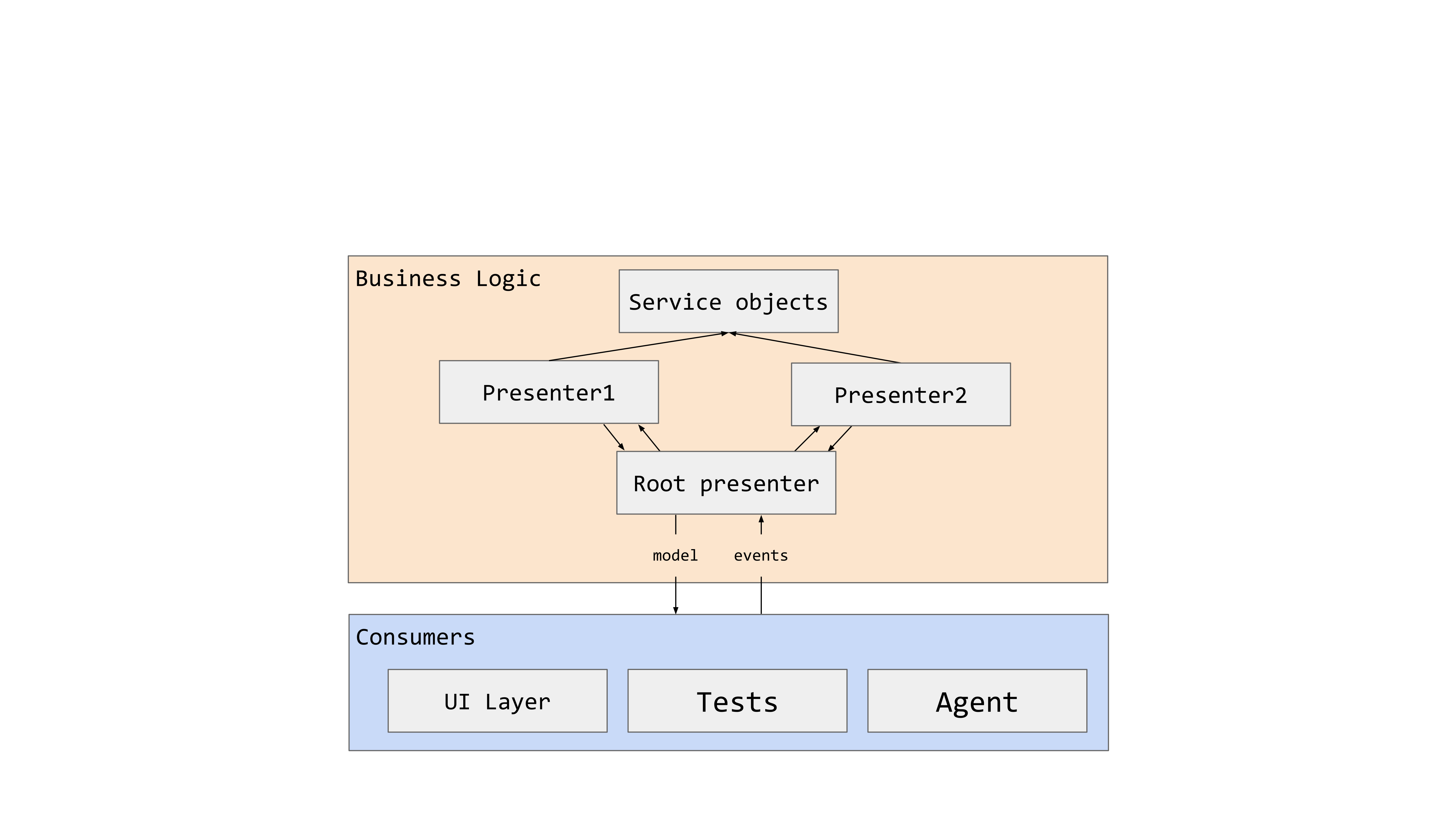
With Kotlin Multiplatform, using desktop as a development target can already shorten the feedback loop: there’s no emulator deployment, build times are faster compared to Android and Compose Hot Reload applies code changes to the running app. Compose Multiplatform 1.12.0 also introduced an MCP server through Compose Hot Reload, allowing agents to inspect and interact with a running desktop app. This made me wonder how much faster Shopify’s approach of connecting an agent directly and skipping the UI layer entirely could be.
The experiment
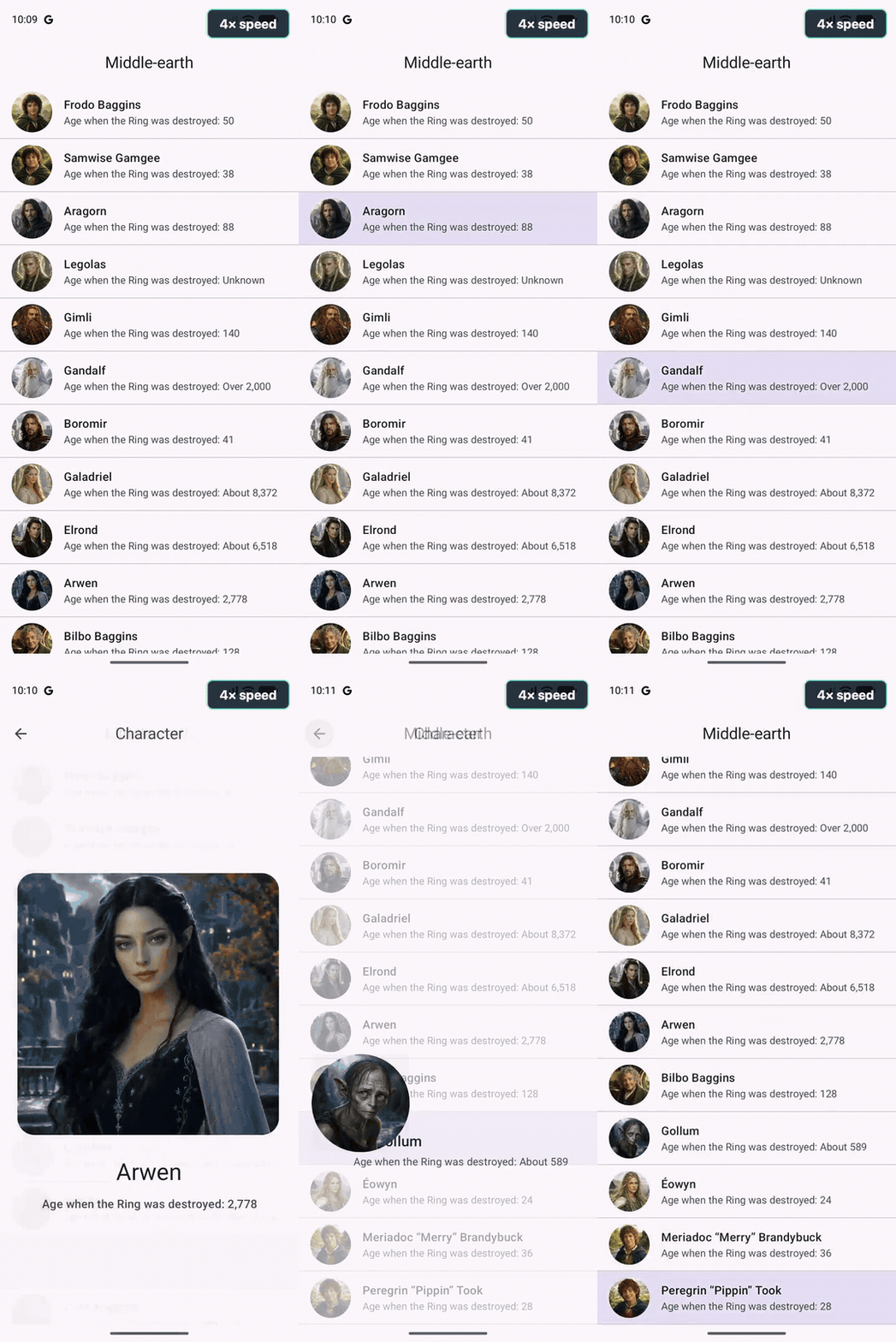
Implementing the experiment with App Platform was straightforward. I used the list-detail blueprint (clickable web app), which shows a list of characters and navigates to a detail screen with a shared element transition. The benchmark opened each of the 15 characters, read the detail state, navigated back and checked that the list was active again.
I compared five implementations. The Android skills variant used the Android CLI’s normalized accessibility layout; the other Android UI variant used raw UIAutomator XML. Both used ADB input commands. The desktop UI variant used the Compose MCP server’s semantic tree and actions.
The two presenter CLI variants read the models directly and invoke their existing callbacks. On Android, a persistent connection through ADB forwards commands to the running app and each response waits for Compose to apply the new state. The UI still updates. The desktop presenter CLI runs the same business and navigation logic headlessly, without creating a window or renderer.
The results
I used Codex with GPT-5.6 Sol at xhigh reasoning effort to build and run the scripted benchmarks on a MacBook Air with an M5 chip and 24 GB of RAM. Android ran in an emulator. The list-detail blueprint app makes no network requests. All runs were warm with the app and control channel ready before timing began. The measured times exclude compilation, installation, startup and agent reasoning. Each result is one measured traversal through all 15 characters.
| Variant | Time for all 15 | Mean per character |
|---|---|---|
| Android skills (accessibility layout) | 85.264 s | 5.684 s |
| Android raw UIAutomator | 62.102 s | 4.140 s |
| Android presenter CLI | 1.733 s | 115.532 ms |
| Desktop Compose MCP | 9.001 s | 600.077 ms |
| Desktop presenter CLI | 12.370 ms | 0.825 ms |
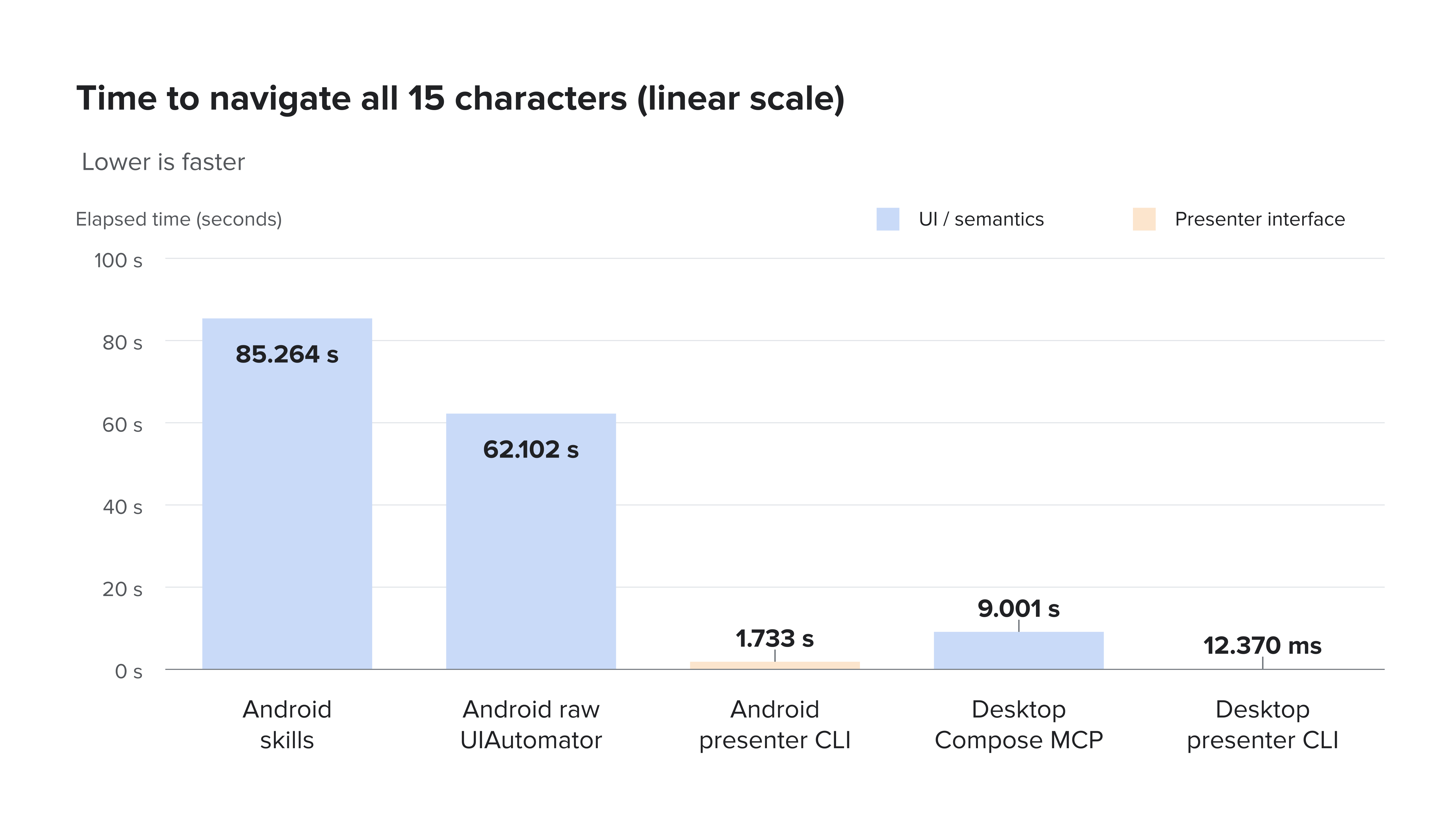
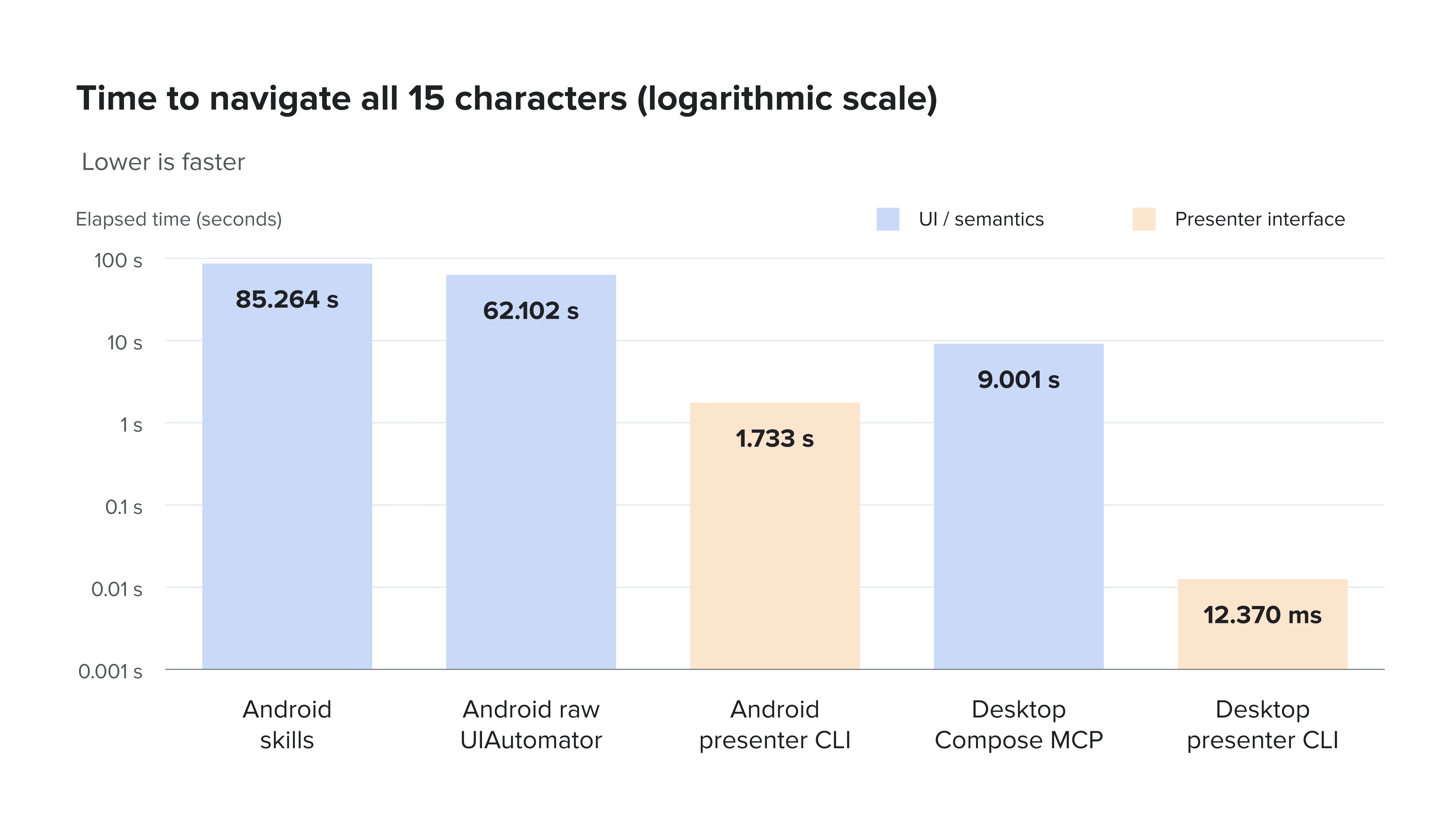
The gains surprised me. On Android, the presenter CLI completed the traversal about 49× faster than the Android skills path and 36× faster than raw UIAutomator. On desktop, the difference was even larger: about 9 seconds through Compose MCP versus 12 milliseconds through the headless CLI or roughly 728× faster in this run.
Much of the difference comes from the cost of observing UI state and making repeated tool calls. The UI paths inspect a hierarchy, find an element, act on it and inspect the hierarchy again. The presenter interface accepts an action and returns the resulting state in the same response. Given that the CLI variants skip the UI layer, remember to verify your layouts, accessibility, touch targets and animations separately.
If agents repeatedly navigate your app to verify business logic and state transitions, these savings can make a substantial difference to their feedback loops. That’s another reason you’ll keep hearing me talk about unidirectional data flow, Redux and decoupling business logic, including screen navigation, from the UI layer.